
Spaces:
Runtime error


title: n8n
emoji: 🤖
colorFrom: pink
colorTo: indigo
sdk: docker
pinned: false
license: mit
app_port: 5678
short_description: n8n hosting using huggingface
Hosting n8n using huggingface space
If you don't have a cloud instance or domain, self hosting n8n may be a bit difficult. This repository is a template for hosting n8n using huggingface space.
Using Supabase for database
According to huggingface space documentation, Space will "go to sleep" and stop executing after a period of time if unused. To avoid this, we can use Supabase for the database.
Sign up for a free account at https://supabase.com/dashboard/sign-up
Create a new project and fill the form. Save the database password for later use.
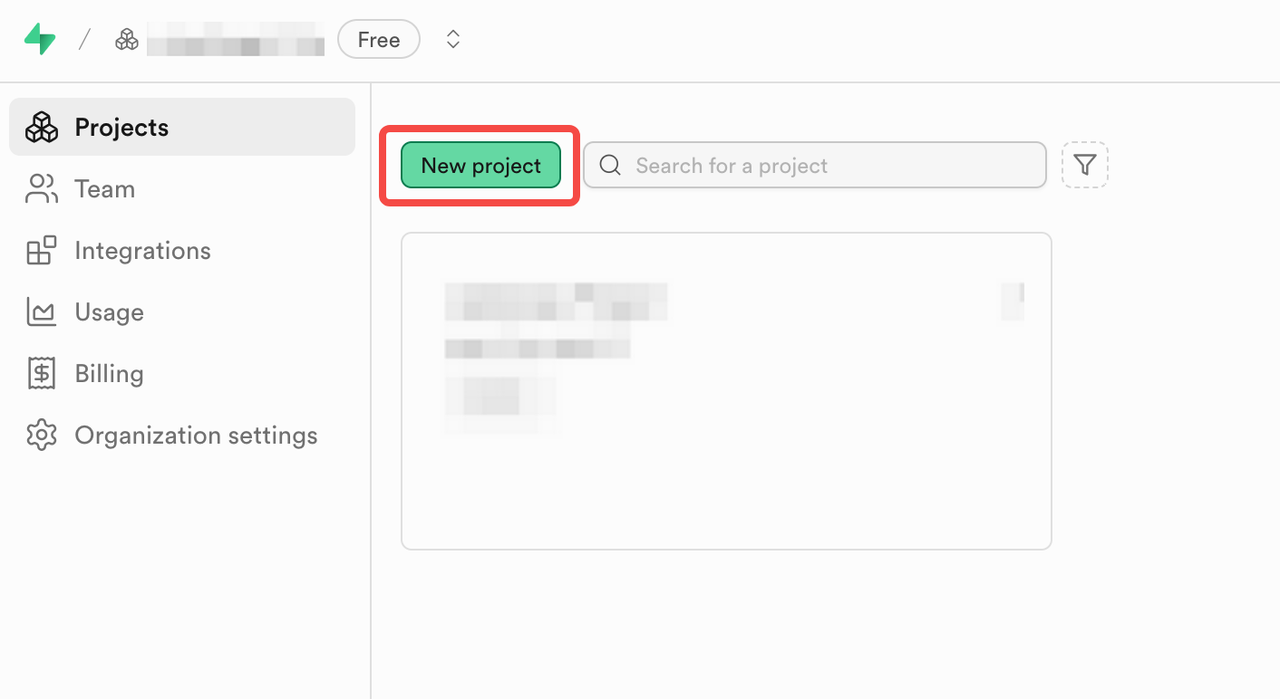
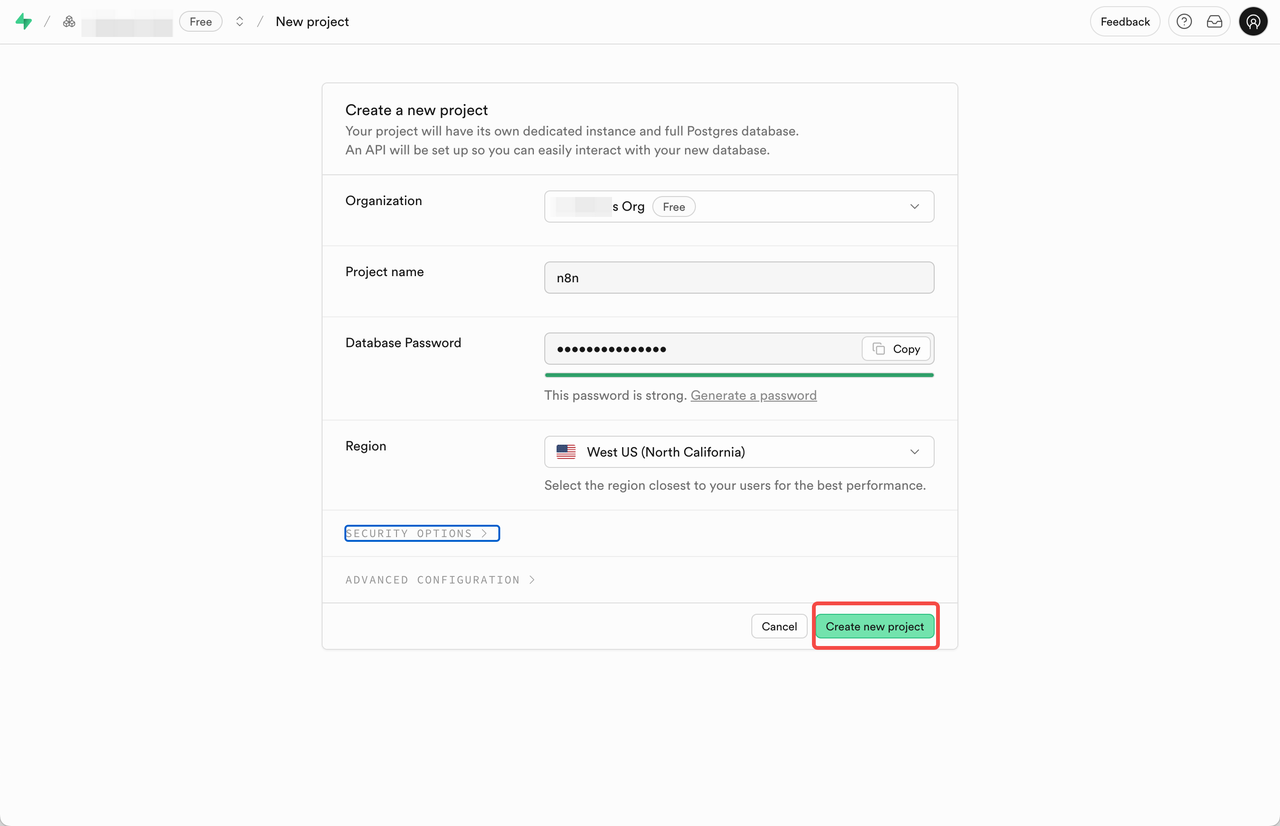
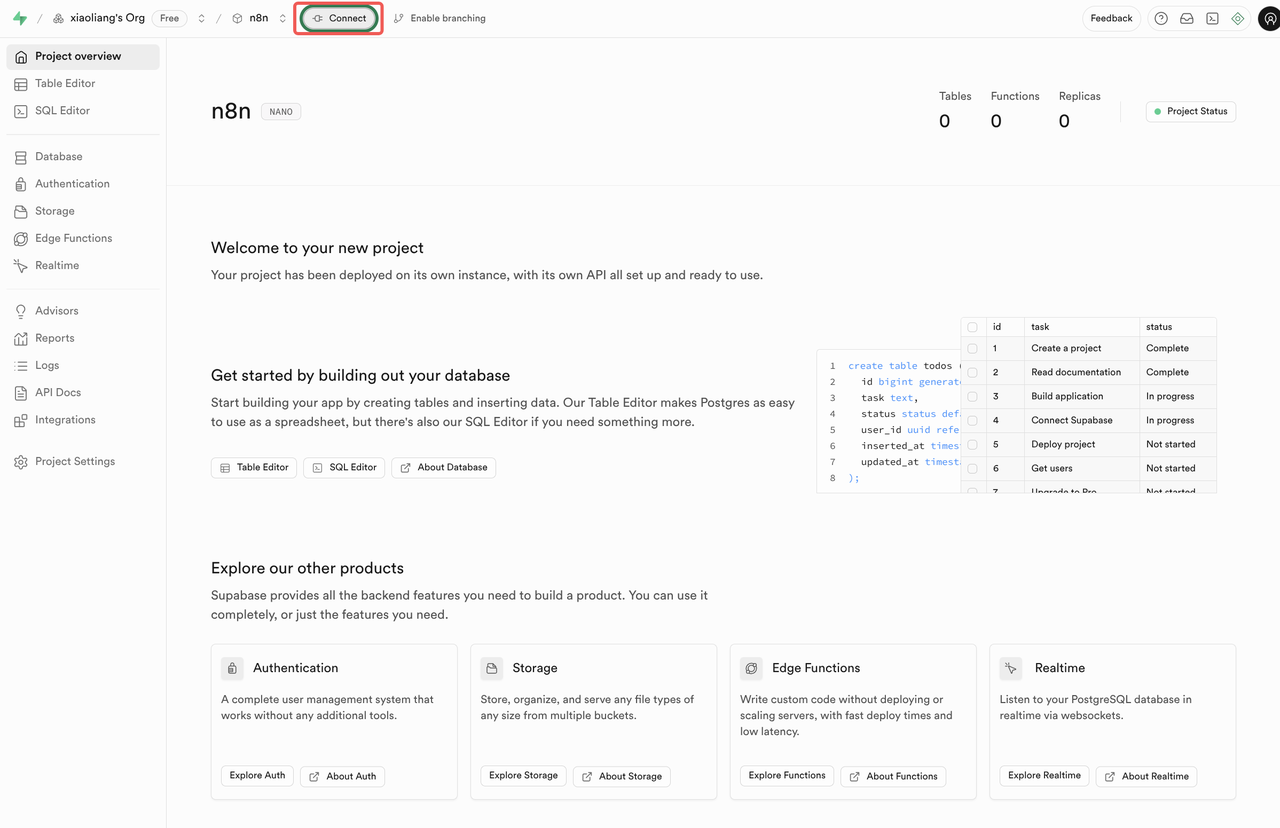
View the database connection info by click the Connect button on the top left nav bar.
Select SQLAlchemy as Connection String and find the Transaction pooler section.
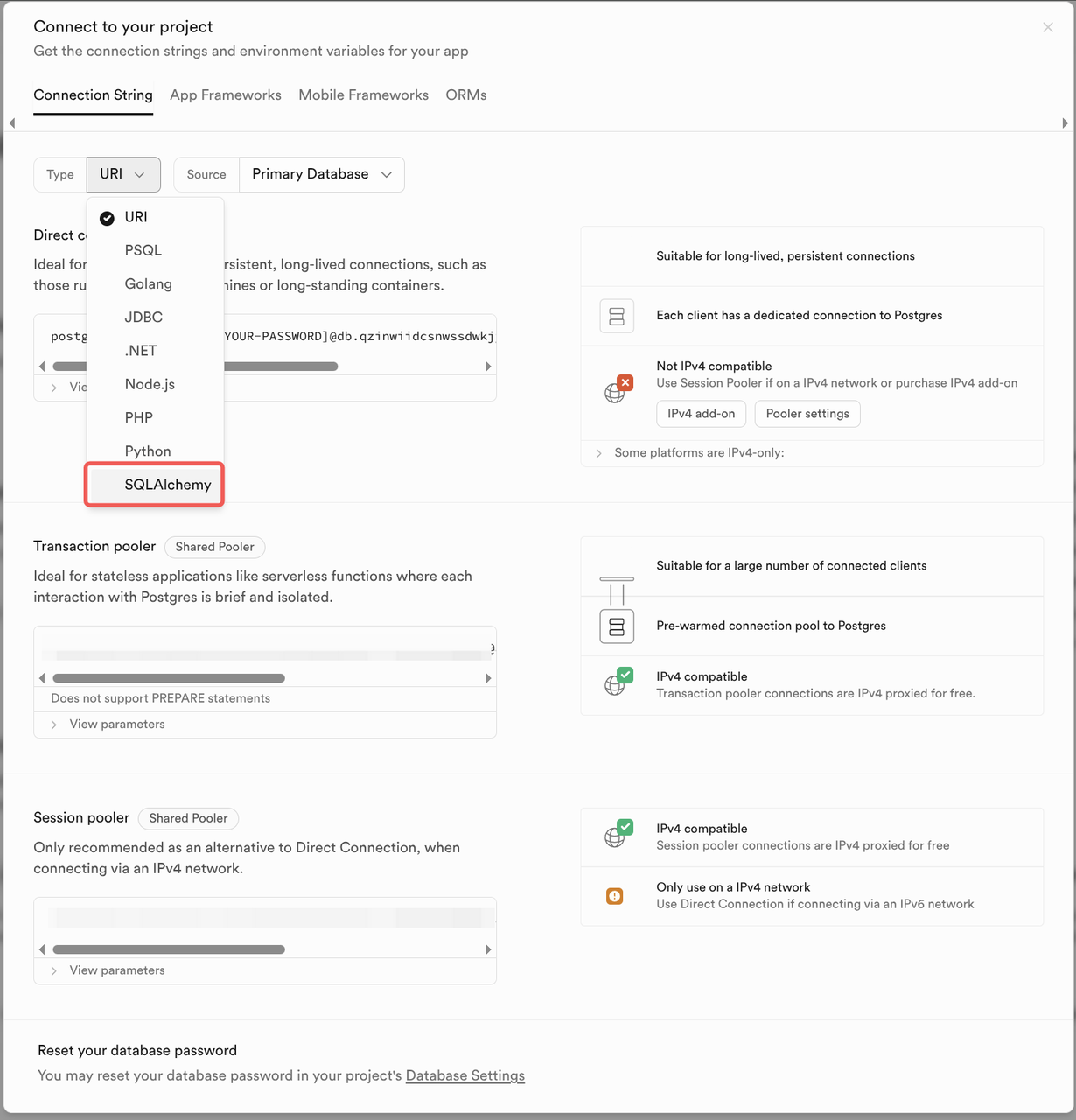
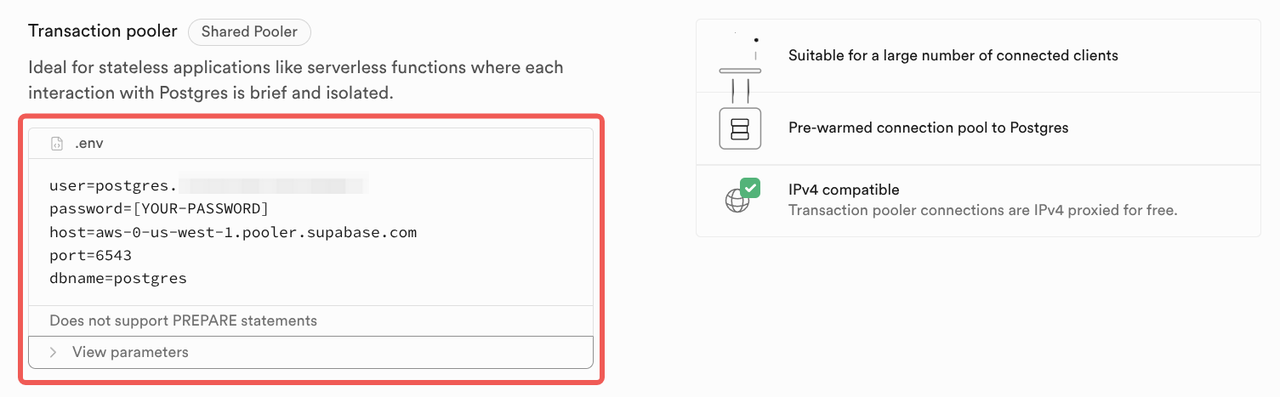
Save the connection info for later use: host, port, user, dbname.
Deploying n8n using huggingface space
Huggingface space provide a free tier with 16GB RAM, 2 CPU cores and 50GB of (not persistent) disk space. This is enough for hosting n8n.
| Hardware | GPU Memory | CPU | Memory | Disk | Hourly Price |
|---|---|---|---|---|---|
| CPU Basic | - | 2 vCPU | 16 GB | 50 GB | Free! |
Using this space to duplicate and deploy n8n in the easy way.
Sign up for a free account at https://huggingface.co/join and pick a profile name.
tomowangis the profile in https://huggingface.co/tomowang as an example. Remember the profile name for later use.Access https://huggingface.co/spaces/tomowang/n8n and click the menu drop down in top right corner and select Duplicate this space.
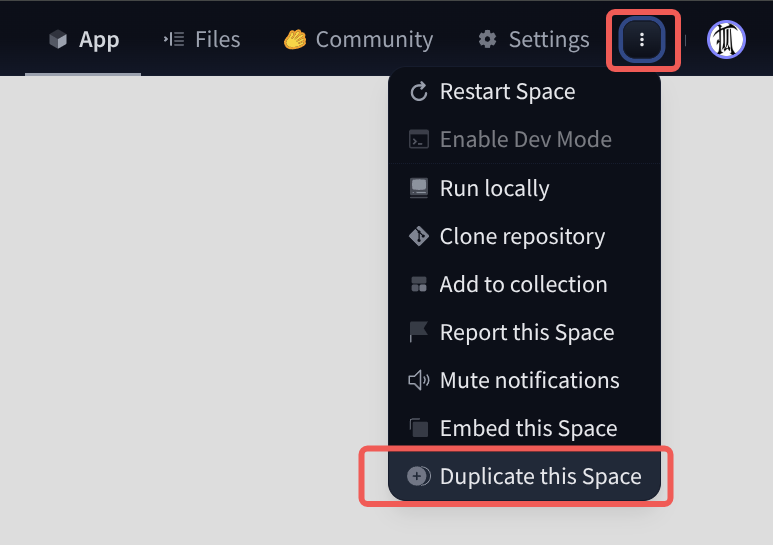
Fill or change the variable and secrets in pop-up form and click Duplicate.
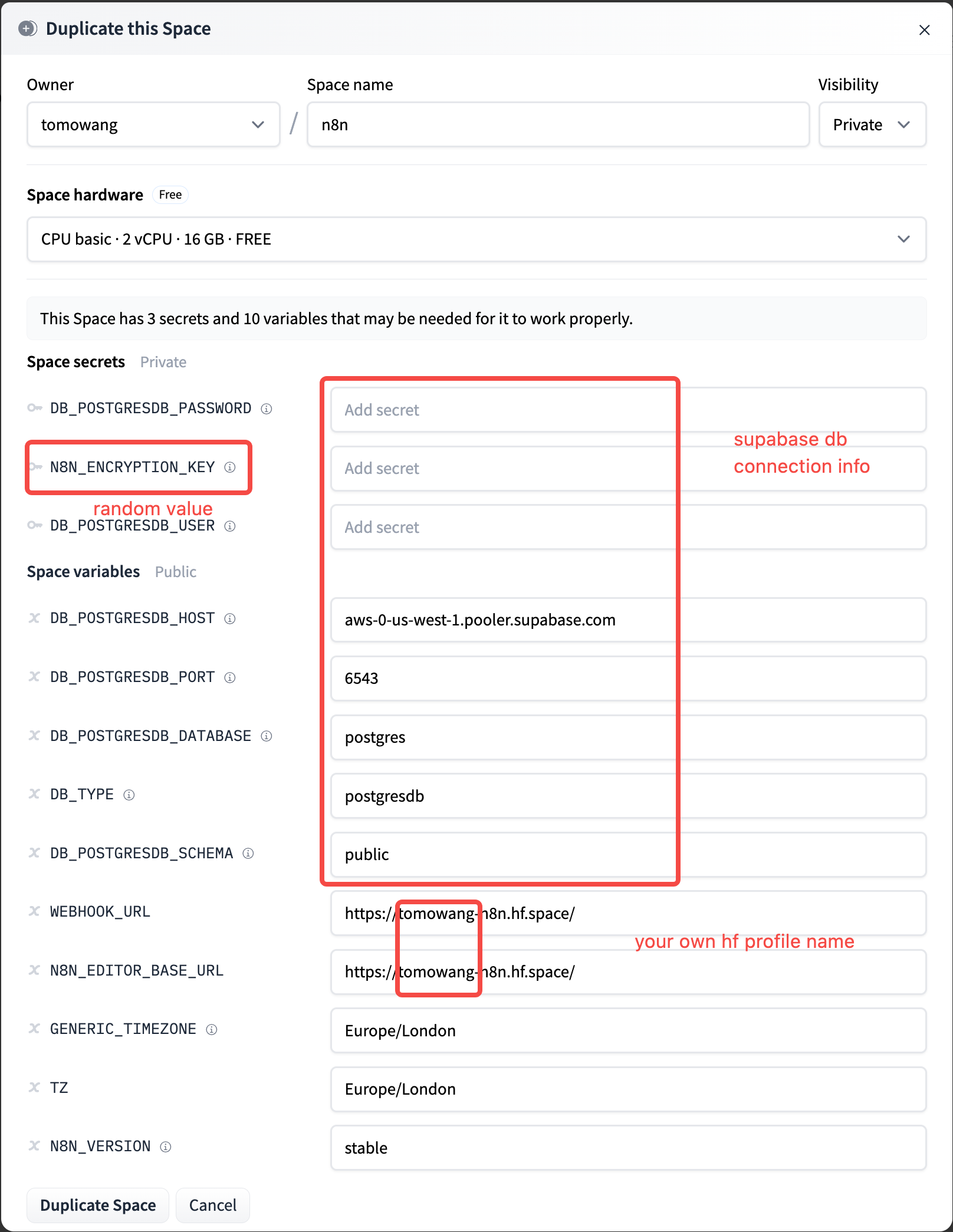
Variable Value DB_POSTGRESDB_PASSWORDsupabase db password DB_POSTGRESDB_USERsupabase db connection userDB_POSTGRESDB_HOSTsupabase db connection hostDB_POSTGRESDB_PORT6543 N8N_ENCRYPTION_KEYRandom string. Use openssl rand -base64 32to generateWEBHOOK_URLExample https://<profile>-n8n.hf.space/N8N_EDITOR_BASE_URLExample https://<profile>-n8n.hf.space/GENERIC_TIMEZONEConfig by requirement TZConfig by requirement Click Duplicate Space and wait for the deployment to finish. You can find the logs as following
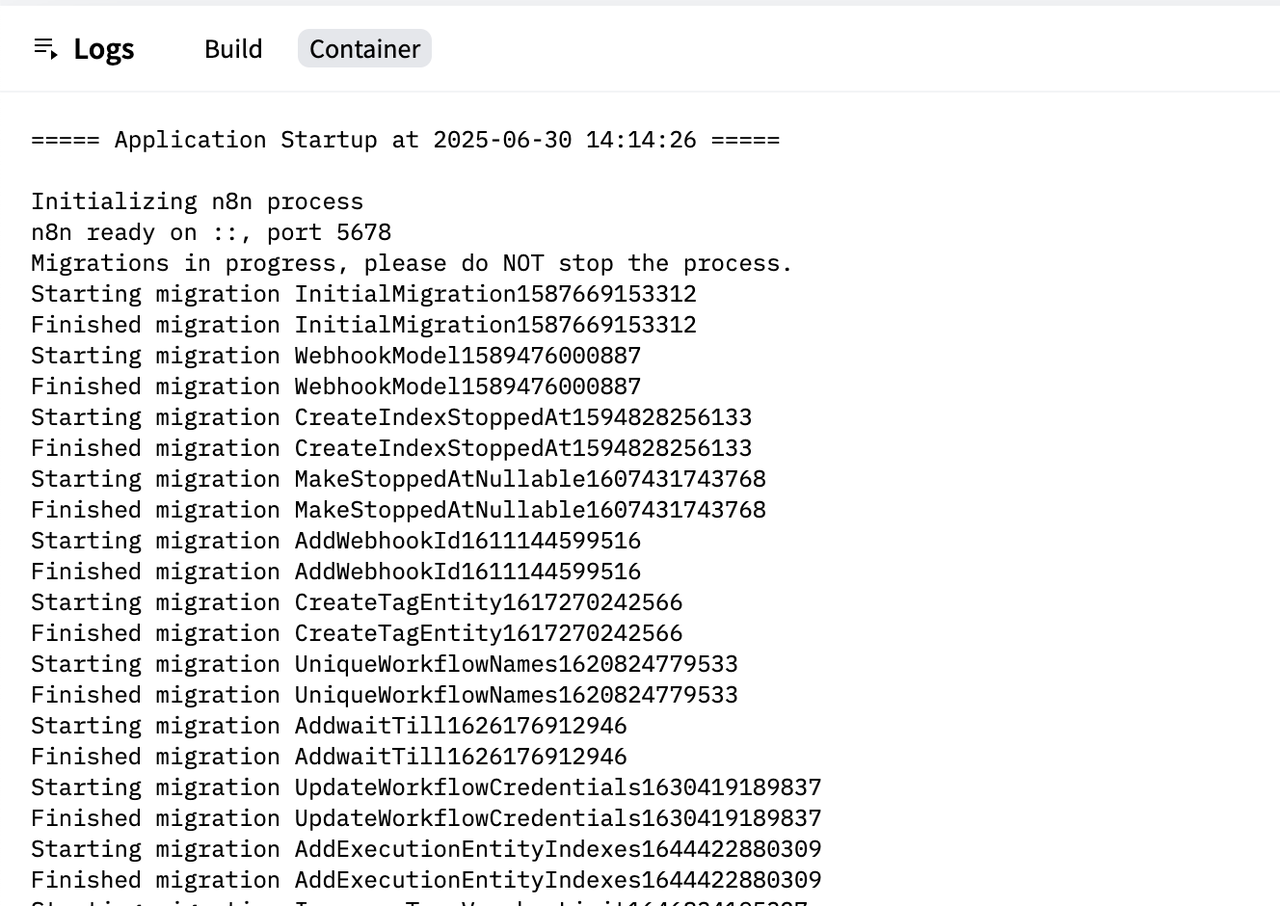
Once the deployment is finished, you can find the URL as configured in the
N8N_EDITOR_BASE_URLvariable.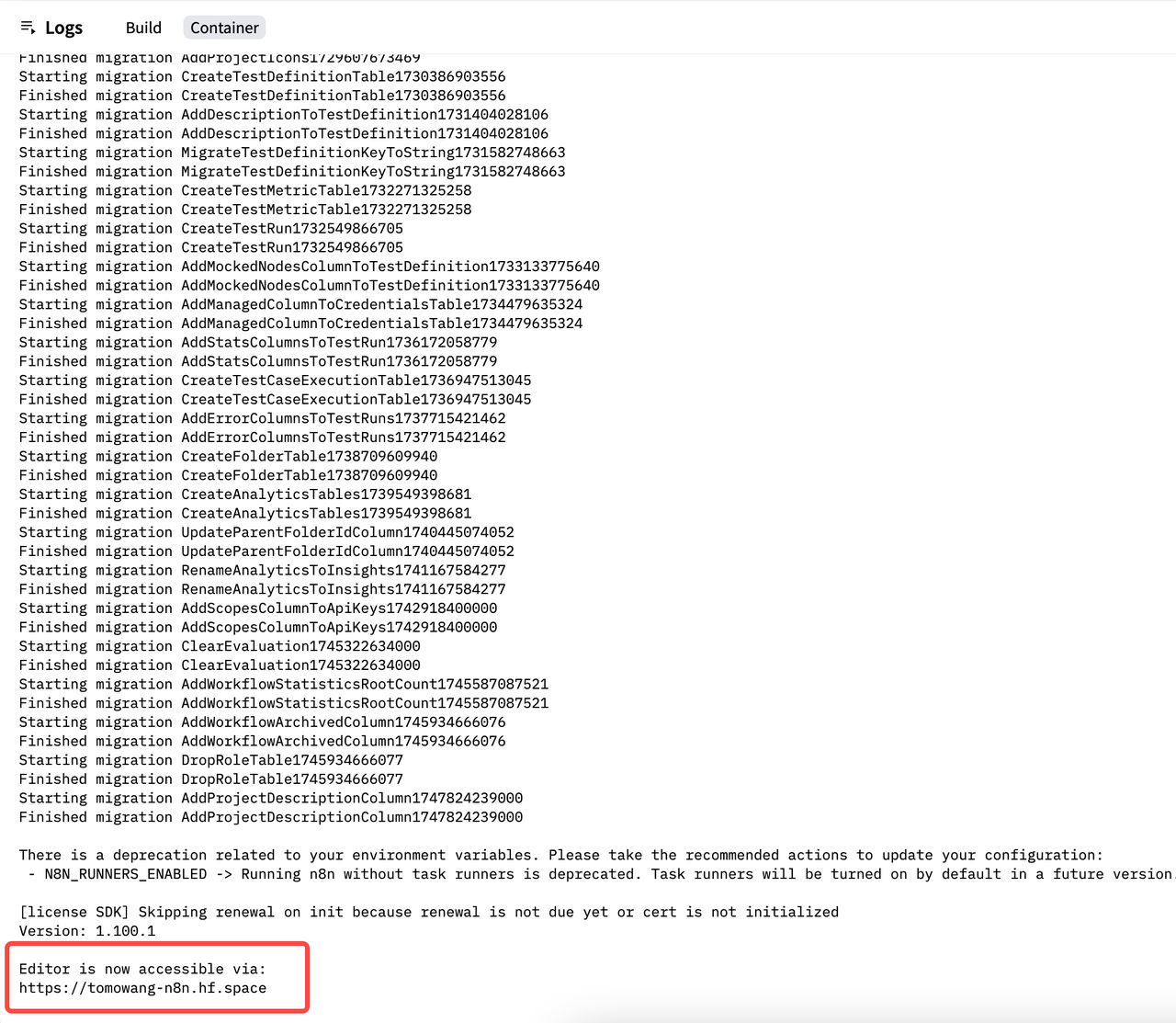
Now you can access n8n using the URL.
n8n use helmet for security headers. In production mode, it will set
X-Frame-Optionstosameorigin, which causes the n8n site to be blocked by the iframe in the Huggingface Space (code https://github.com/n8n-io/n8n/blob/master/packages/cli/src/server.ts#L401-L402).